
HDMI ARC Port: Understanding Its Specific Purpose

Discover what HDMI ARC ports do on your TV and why they're different from standard HDMI connections. Learn about audio return channel technology.
The world of HDMI connectivity can seem overwhelming at first glance, with various ports and standards serving distinctly different purposes. Among the most misunderstood features on modern televisions is the HDMI ARC port, a specialized connection that plays a crucial role in your home entertainment setup. Understanding what this port does and how it differs from standard HDMI connections can help you optimize your audio experience and eliminate common connectivity frustrations.
HDMI has evolved significantly since its introduction in the early 2000s, with manufacturers continuously adding new features and capabilities to meet the demands of increasingly sophisticated home theater systems. The various HDMI standards and versions can be confusing for consumers, as each iteration brings incremental improvements in bandwidth, resolution support, and specialized functionality. Among these innovations, the Audio Return Channel—commonly abbreviated as ARC—represents one of the most practical additions for anyone looking to simplify their audio connections and reduce cable clutter in their entertainment setup.
At its core, the HDMI ARC port functionality serves a very specific purpose: it allows audio to travel in both directions across a single HDMI cable. Traditionally, HDMI cables transmitted video and audio in one direction only—from your source device (like a cable box or streaming device) to your television. However, the ARC port reverses this paradigm by enabling your TV to send audio signals back through the HDMI cable to an external device, typically a soundbar or audio receiver. This bidirectional audio transmission eliminates the need for a separate audio cable running from your TV back to your audio equipment.
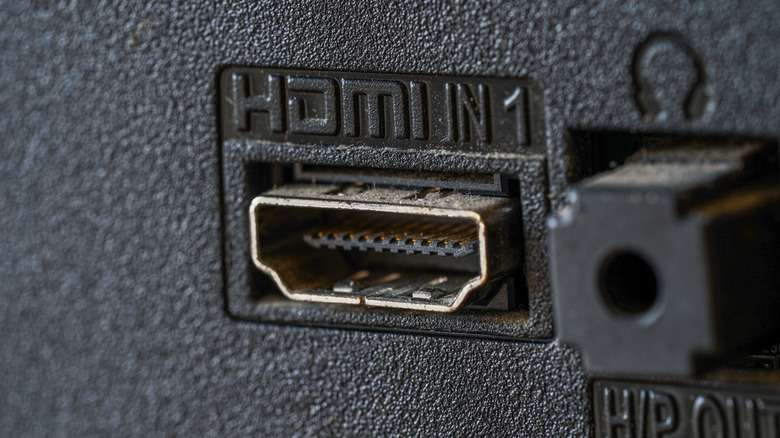
The practical applications of HDMI ARC technology become immediately apparent when you consider the typical home theater setup. When you watch content through your television's built-in tuner or streaming apps, the audio needs to be sent to your soundbar or receiver for processing and amplification. Previously, this required running a dedicated optical audio cable or analog audio cables from your TV to your audio equipment. By consolidating both video and audio onto a single HDMI connection, ARC technology dramatically simplifies cable management and reduces the number of connections needed behind your entertainment center.
It's important to note that not all HDMI ports on your television support ARC functionality. Typically, manufacturers designate one specific HDMI port—often labeled as HDMI 3 or HDMI 4—as the ARC-compatible port. This is why checking your TV's manual or specifications is essential when setting up your system. Some newer televisions feature an enhanced version called HDMI eARC, which offers even greater bandwidth and support for advanced audio formats, making it particularly valuable for those interested in immersive Dolby Atmos or DTS:X sound experiences.
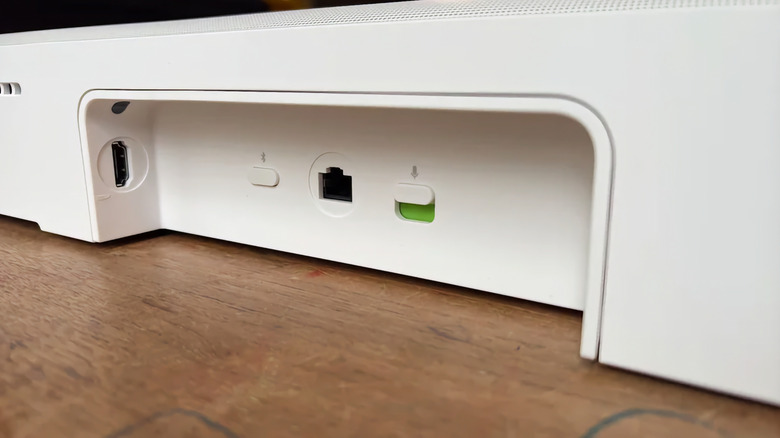
The distinction between ARC and eARC lies primarily in bandwidth capacity and supported audio formats. While standard ARC handles most common audio formats effectively, including Dolby Digital and DTS, the enhanced version supports lossless audio and more sophisticated formats that serious audiophiles and home theater enthusiasts appreciate. The eARC standard provides significantly higher bandwidth—up to 48 Gbps compared to standard ARC's more limited capacity—allowing for transmission of premium audio formats without compression.
Setting up HDMI ARC correctly requires more than just plugging cables into the appropriate port. Both your television and your audio device—whether it's a soundbar, receiver, or speaker system—must support ARC functionality. Additionally, you'll need to enable ARC settings within your TV's audio menu, as this feature is not always active by default. The menu locations vary depending on your television brand and model, but typically you'll find the option under audio settings or HDMI settings, often labeled as "HDMI Audio Return Channel" or simply "ARC."
Once properly configured, HDMI ARC setup and configuration provides a seamless audio experience. Audio from your TV's internal tuner, smart TV apps, or any connected devices will automatically route through the ARC port to your external audio equipment without requiring manual switching or additional connections. This automatic routing is particularly convenient for those who use their TV's built-in streaming apps extensively, as you won't need to connect these apps directly to your audio receiver.
Common misconceptions about HDMI ARC often stem from confusion about its relationship to video transmission. It's crucial to understand that ARC is specifically about audio—the video signal continues to flow normally through the HDMI connection from your source device to your television. The audio return channel is purely an additional feature that allows audio to travel back in the opposite direction. This means you can have a perfectly functioning video connection while ARC audio transmission fails due to compatibility issues or incorrect settings.
Troubleshooting HDMI ARC problems can be frustrating, but understanding the technology helps. If you're experiencing issues where your soundbar or receiver isn't receiving audio through the ARC port, several factors could be responsible. The device may not support ARC functionality, the setting might not be enabled on your TV, the cable might not be ARC-compatible despite being labeled as HDMI, or there could be a firmware issue requiring updates on either your television or audio device.
For those invested in high-quality audio experiences, the limitations of standard ARC became apparent as audio formats evolved. The development of HDMI eARC and advanced audio formats addressed these constraints by providing the bandwidth necessary for lossless audio transmission. If you have a compatible television and audio equipment, using eARC instead of standard ARC can unlock superior audio quality, particularly when watching 4K content with modern soundtrack specifications.
Looking forward, understanding the specific role of HDMI ARC ports becomes increasingly important as home entertainment systems become more integrated and sophisticated. Whether you're building a new entertainment setup or troubleshooting an existing one, knowing that the HDMI ARC port's job is specifically to handle bidirectional audio transmission will help you make informed decisions about your cable connections and equipment compatibility. This seemingly technical distinction has practical implications that can significantly improve your home entertainment experience while reducing the tangle of cables behind your television.
Source: Engadget


