
Windows 11 Finally Restores Popular Taskbar Features

Windows 11 Insider Preview brings back taskbar docking options missing since launch. Users can now position taskbars on any screen edge with customizable settings.
Since its debut in 2021, Windows 11 has earned widespread appreciation for its modern aesthetic approach, featuring distinctive rounded corners and subtle translucency effects that represent a significant departure from the austere design language of the Windows 8 and 10 generations. The visual overhaul successfully modernized the operating system's appearance while maintaining the essential functionality users expect from a professional operating system. However, the redesigned Windows 11 taskbar and Start menu introduced several notable functional limitations compared to their Windows 10 counterparts, disappointing power users and longtime Windows enthusiasts.
The transition to Windows 11 brought about unexpected restrictions in taskbar customization that left many users frustrated. While Microsoft addressed some of these regressions relatively quickly through subsequent updates, several limitations have persisted throughout the operating system's lifespan, creating ongoing frustration for those seeking greater control over their desktop environment. These missing features became a recurring complaint in user forums and technology communities, with many users expressing disappointment that Windows 11 removed functionality that had been standard for decades.
A significant breakthrough has arrived with the latest Windows Insider Preview build, which introduces an extensive collection of improvements designed to restore missing functionality while simultaneously introducing innovative new features. This update represents a meaningful response to community feedback and demonstrates Microsoft's commitment to addressing user concerns about taskbar customization and flexibility. The new features promise to enhance the user experience considerably for those who depend on advanced customization options.
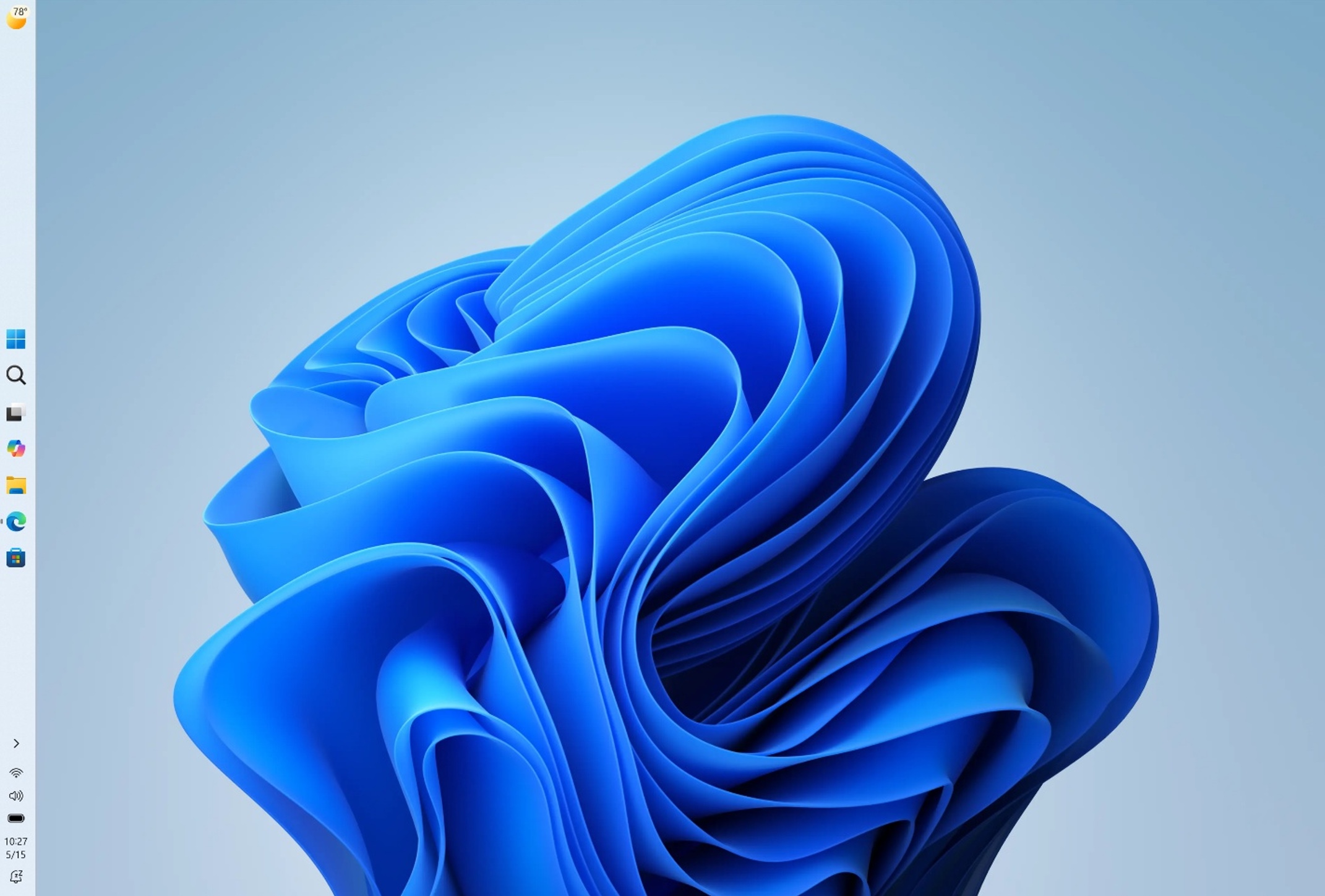
The most transformative addition in this update involves the restoration of taskbar docking flexibility, allowing users to position the taskbar on any edge of their display—including the left and right sides—a feature that was commonplace in Windows 10 and earlier iterations but conspicuously absent from Windows 11 at launch. This long-awaited capability addresses one of the most significant functional regressions introduced with Windows 11, restoring control that many users felt was unjustly removed. The ability to customize taskbar placement has always been particularly valuable for users with ultrawide monitors or those who prefer vertical workspace organization.
What makes this restoration particularly noteworthy is the sophisticated approach Microsoft has implemented for managing these customization options. Users can now configure distinct taskbar behaviors for each position—meaning you could establish completely different settings for a left-mounted taskbar compared to a bottom-mounted configuration. This granular control extends to icon alignment preferences, allowing users to position icons in different ways depending on taskbar orientation. Additionally, users can independently configure settings for labels and icon grouping for each taskbar position, with Windows intelligently remembering these preferences and automatically applying the correct settings whenever the taskbar orientation changes.
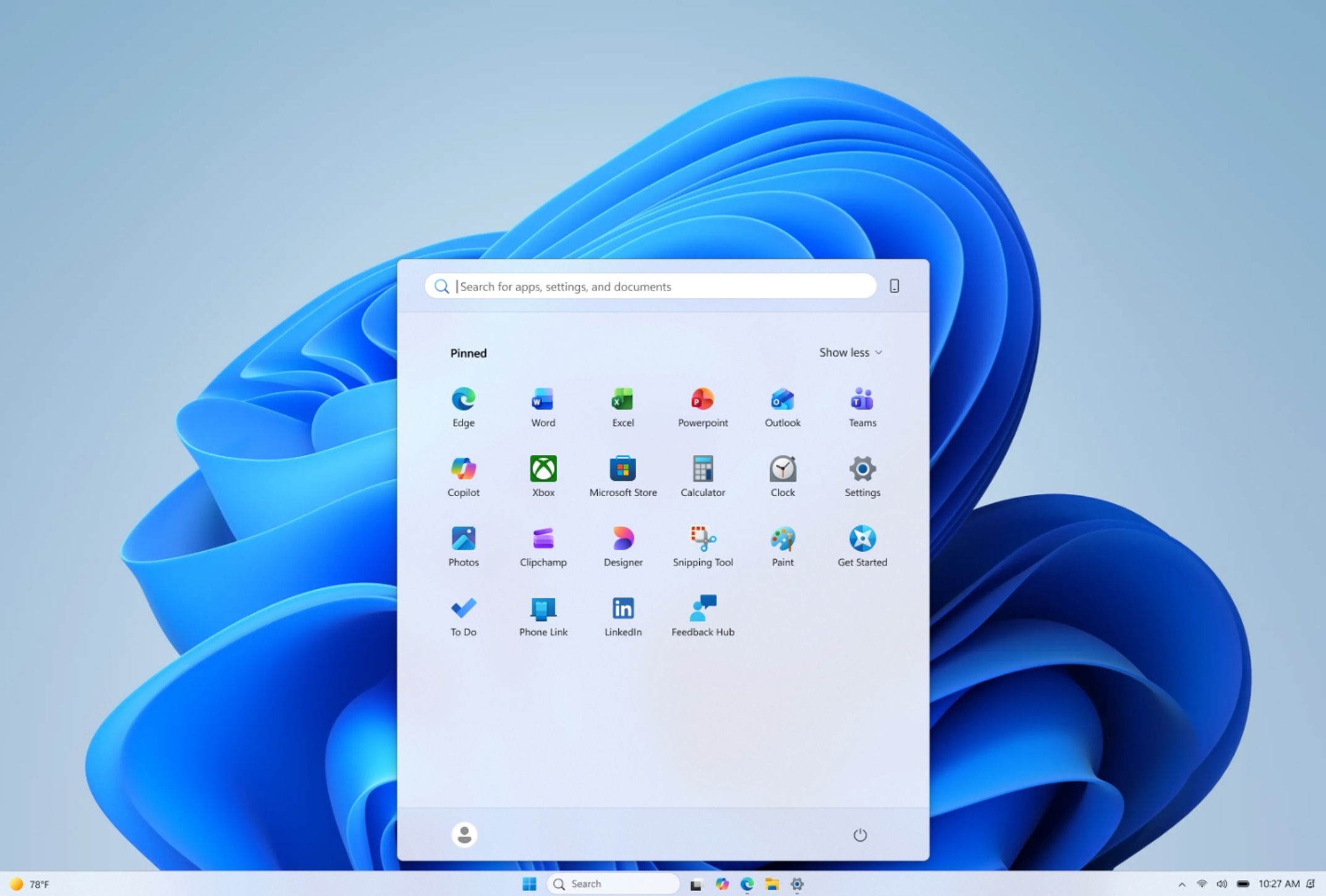
The significance of this feature restoration cannot be overstated for users who have invested in unique workspace configurations. Professionals using vertically-mounted taskbars on one side of their display while maintaining a standard bottom-mounted taskbar for specific workflows can now achieve this setup without limitation. Software developers, designers, and content creators who rely on maximized screen real estate in specific applications have long sought this functionality. The Windows 11 update essentially validates the diverse workspace preferences that exist within the user community, acknowledging that different users have different needs and preferences.
Beyond taskbar positioning, the Windows Insider Preview build introduces several additional improvements that demonstrate Microsoft's broader commitment to addressing user feedback. These enhancements indicate that the company is actively listening to community concerns and systematically working through the backlog of desired features that were removed or overlooked during Windows 11's initial development cycle. The update represents a strategic shift toward prioritizing user choice and customization, values that were somewhat de-emphasized in the initial Windows 11 launch approach.

The restoration of these Windows 10 features marks a turning point in Windows 11's evolution, suggesting that Microsoft recognizes the importance of maintaining backward compatibility with highly valued functionality. Users who felt disappointed by the initial Windows 11 release's removal of these options have reason to feel validated by their persistence in advocating for change. The extended timeline—five years since Windows 11's launch—underscores how long some communities have awaited these particular improvements.
This development also reflects broader trends in operating system design, where user customization and flexibility are increasingly recognized as essential rather than optional features. The ability to tailor your computing environment to match your specific workflow and preferences has become a competitive advantage for operating systems. By restoring these options, Windows 11 strengthens its position against alternative operating systems that may offer greater customization from the outset.
For enterprise users and IT administrators, the significance of these changes extends beyond personal preference. Organizations that standardize on Windows often need to accommodate diverse workplace configurations, from traditional desktop setups to advanced multi-monitor workstations. The enhanced taskbar customization capabilities in Windows 11 provide greater flexibility for deployment scenarios, potentially reducing the need for third-party utilities and workarounds that administrators previously needed to implement.
The Windows Insider Preview program continues to serve as the vital testing ground for these features, allowing Microsoft to refine implementations based on real-world feedback before broader release. Users enrolled in the Insider program play a crucial role in identifying edge cases, compatibility issues, and refinement opportunities. Their participation ensures that features like the enhanced taskbar positioning system function reliably across the diverse hardware configurations and usage scenarios that characterize the Windows user base.
As these improvements progress through the Insider Preview stages toward eventual general release, many users will finally be able to abandon workarounds and third-party solutions they've relied upon since Windows 11's launch. The restoration of these fundamental customization options represents a significant validation of user feedback and a concrete demonstration of Microsoft's willingness to address longtime complaints. For those who have maintained Windows 10 systems specifically to preserve taskbar functionality, this update may finally provide compelling reasons to upgrade to Windows 11 with confidence in their customization needs being met.
Source: Ars Technica


